Cette page est publiée en anglais et en ukrainien ; la version anglaise figure ci-dessous.
Plan and billing: credits, changing and cancelling
In the Shukai panel, without code: your plan, the credits it gives and what spends them, extra credits, and how to change or cancel the plan.
Plan & billing sits at the account level, above your sites: one plan covers every site you have. The plans themselves and what each includes are on Pricing.
Before the assistant is live
Building and trying the assistant in the panel is free, up to 50 credits a day and 300 a month before you choose a plan. To answer the visitors of your site it needs a plan, and until you choose one this screen says Your assistant isn’t live yet and offers to start.
Credits
A credit is roughly one answer. What an answer spends depends on the agent’s model — the price is shown beside each model on the agent’s screen — and a spoken answer costs a little more than a written one. The meter shows what your plan gives this period and what is left, split into text and voice, with an estimate of how many answers that still is. The daily chart shows how it was spent.
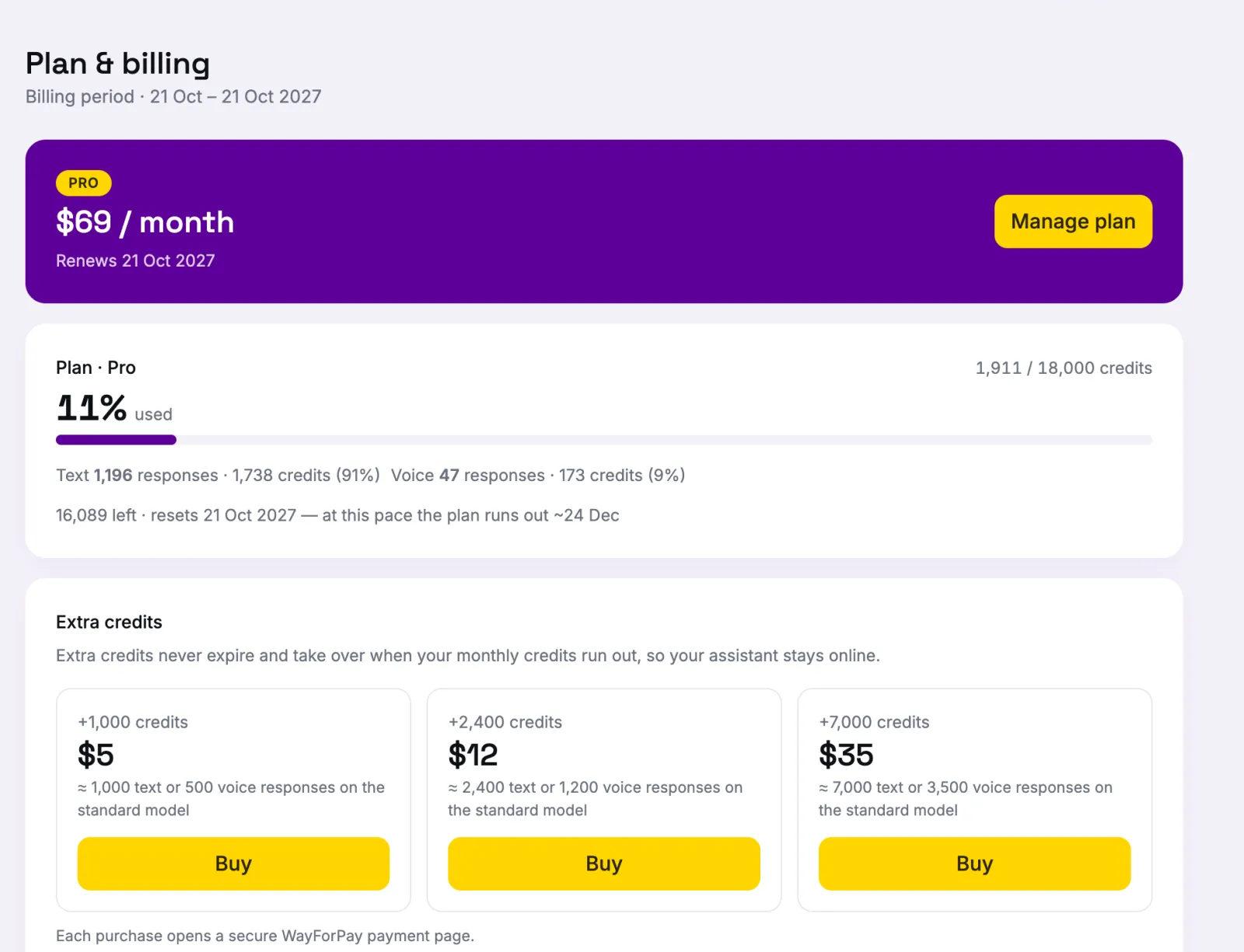
If you run short, Extra credits sells a pack of credits with Buy. They stay on the account until they are needed and are spent after the monthly allowance.
Payment history lists what you were charged, newest first.
If credits go faster than you expect
Start with where they went. The daily chart on this screen shows which day; on Analytics, pressing that day’s bar opens its conversations in Conversations. Most often the cause is ordinary: more visitors than usual, more spoken answers (a spoken answer costs more than a written one), or an agent moved to a dearer model.
Two limits already work on their own. One visitor — one address on one site — gets at most 20 answers a minute and 300 a day, so one visitor cannot spend a month’s credits; and the whole account has a ceiling per minute that grows with the plan.
If the conversations do not look like your visitors — the same question over and over, text that is not a question, hundreds of them in a few minutes:
- Switch the widget off: Widget → Install → Active. The assistant stops answering at once, and nothing is deleted.
- On API keys, open the widget key and look at Allowed origins: only the addresses of your own site belong there. Remove any you do not recognise.
- Rotate the key, then paste the new install snippet from the widget’s Install tab into your site; the old key stops working. If you cannot update the site straight away, Revoke stops the key at once, and it can be reactivated later.
- Write to us at info@shukai.ai with the site and the day, and we will look into it with you.
- Switch the widget back on.
Changing the plan
Manage plan opens Choose your plan, with What’s included in each one side by side.
- Upgrade applies as soon as you pay the difference for the days left, and your renewal date stays where it was.
- Downgrade happens at the end of the period you have paid for. Nothing you built is deleted: tools and events the smaller plan does not include stay, marked Not on your plan, and work again when you move back up; sites beyond its count keep working, you just cannot add another.
- Cancel plan keeps everything working until the end of the paid period, and then the assistant stops answering visitors. Start again brings it back.