Diese Seite erscheint auf Englisch und Ukrainisch; unten steht die englische Fassung.
Conversations and analytics: what visitors asked
In the Shukai panel, without code: every conversation the assistant had, and the screen that tells you whether it is working — does it find answers, does it lead people anywhere, does it get them to a person.
Two screens show what actually happened: Conversations — each chat in full — and Analytics — the same chats counted.
Conversations
One row per conversation, newest first: a short title (the first question, or a summary once the chat moves on), the language, and marks such as No answer found, Handed off and the number of pages the assistant led the visitor to; a chat still going on is marked Active now. The search box looks through those titles and first questions; Answer shows only the chats where an answer was or was not found; Started narrows them to a period.
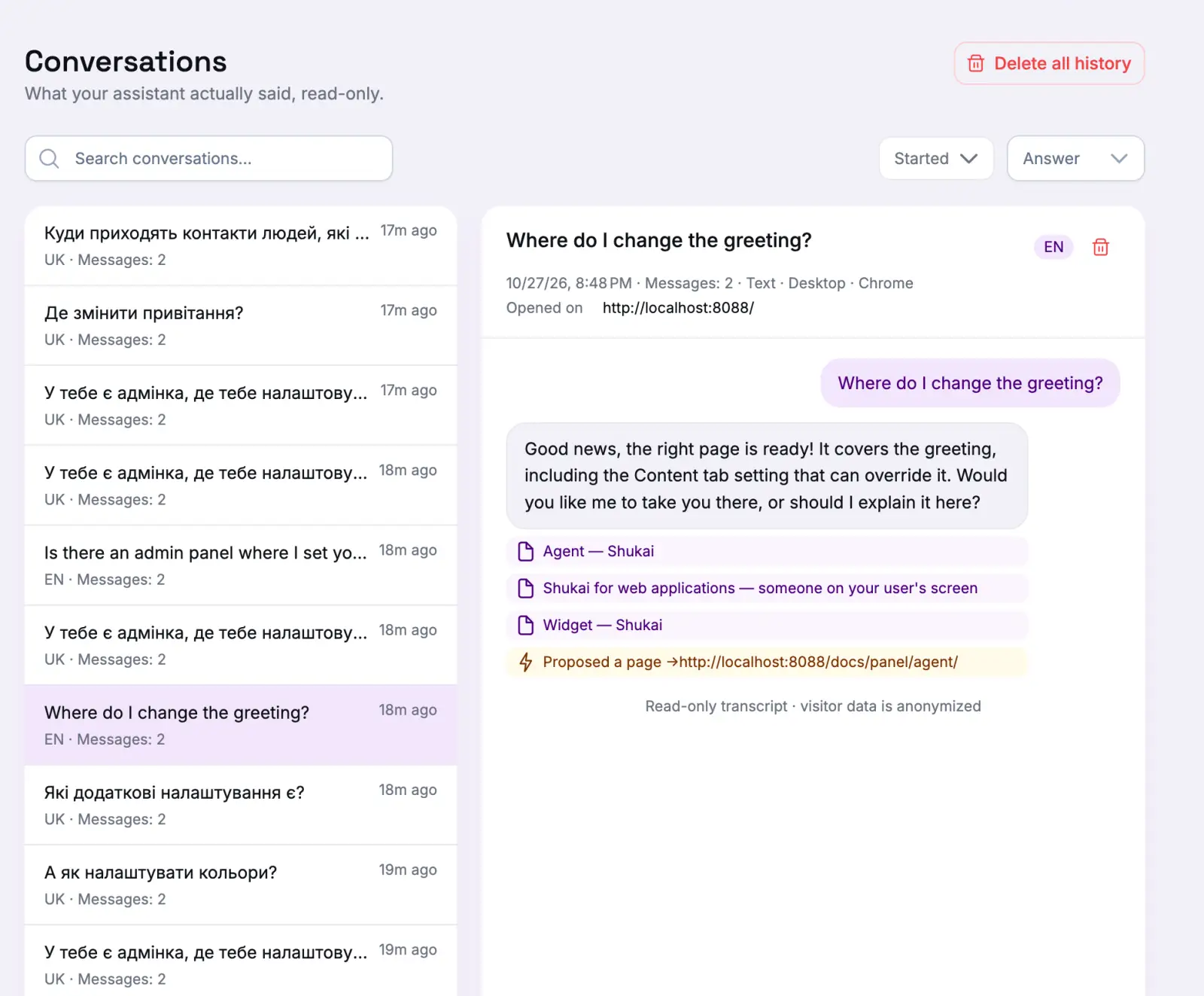
Open a row to read the whole conversation. Above it are where the visitor was (Location), their Browser language, where they Came from and the page they Opened on it. In the transcript you can see when the assistant proposed a page, showed a link, or sent the visitor to one.
Delete conversation removes one; Delete all history removes every conversation of the site and cannot be undone. Conversations are also deleted by themselves after the period your plan keeps them for. The counts in Analytics stay — what goes is the text of the conversation.
Analytics
Analytics answers the question “is the assistant working?” in four parts:
- Does the assistant find an answer? How many conversations there were, how many ended Without an answer, and how many were held by Voice. Top unanswered topics groups the questions it could not answer, so you know which page to add next.
- Does it lead people anywhere? How often the assistant Offered a page and how often people Went to one, with the pages themselves in Where the assistant sends people and where conversations began in Where they start.
- Does it get them to a human? How often a way to reach you was offered and how often it was used, for each channel — the form, WhatsApp, email.
- Who are these visitors? The conversations broken down by language, country, device, browser, campaign and more. Filter by this turns a row into a filter.
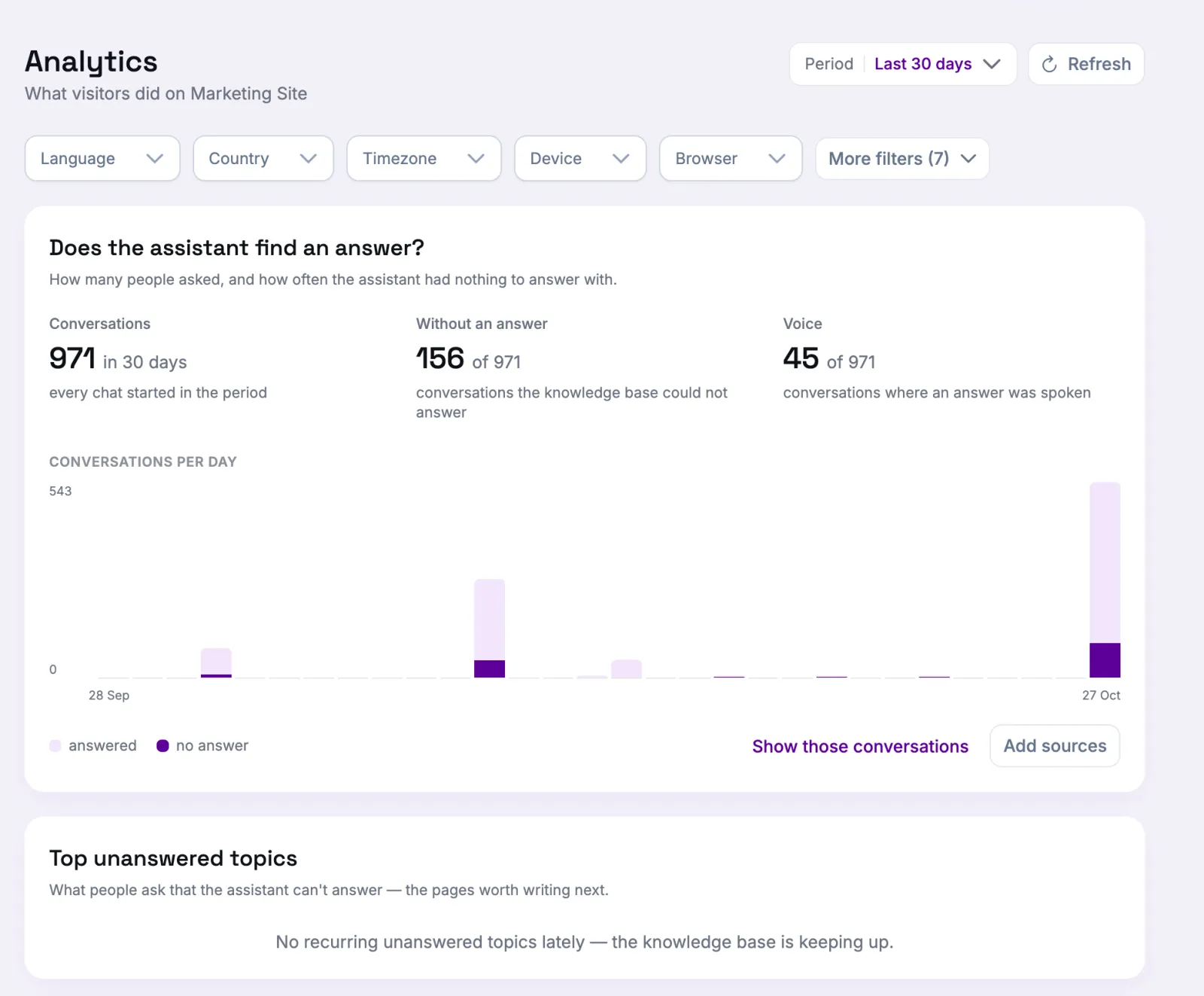
The Period at the top and the filters under it — language, country, device, browser, and more under More filters — cut every number on the screen at once. Press a bar of a daily chart to open that day’s conversations.
The first part counts conversations and the tables count events, so their numbers do not add up to each other: one conversation can open several pages.